| Forum | Shop | Market | ![]() |
Seeds | FAQ | Tools |
SEE OUR MARIJUANA SEED GUIDE FOR THE BEST STRAINS |
Looking for Legal Marijuana look no further! |
|||||
|
#1
|
||||||||||||
|
||||||||||||
|
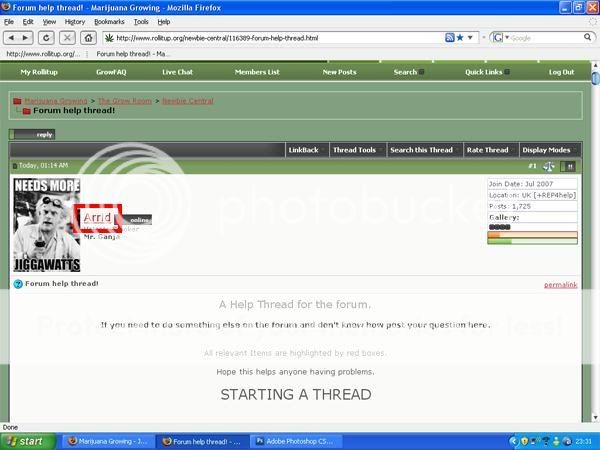
A Help Thread for the forum.
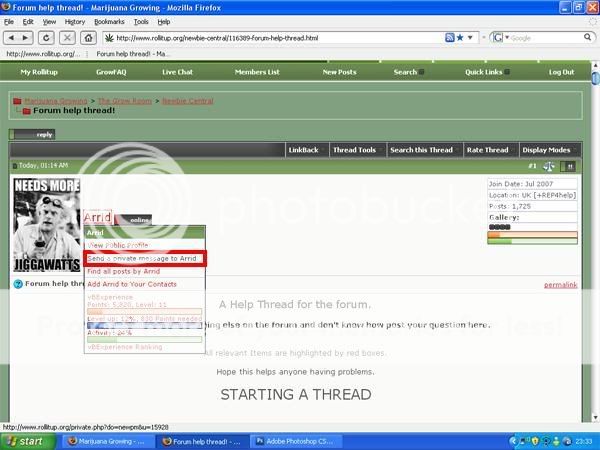
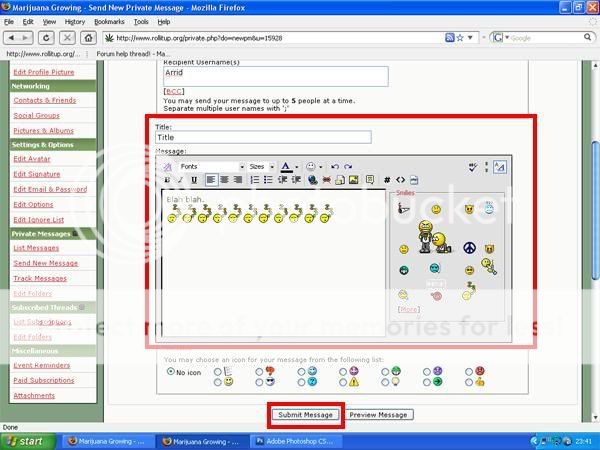
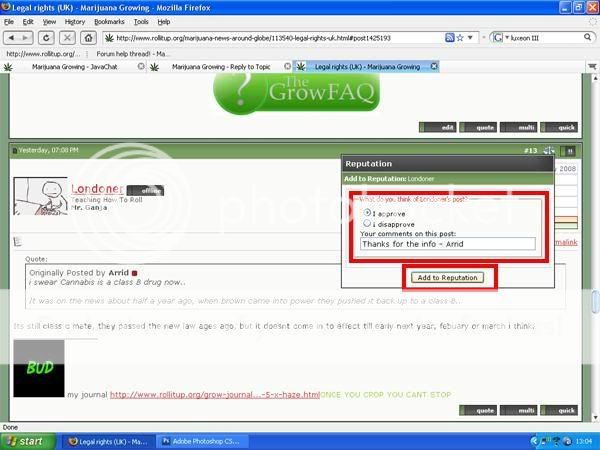
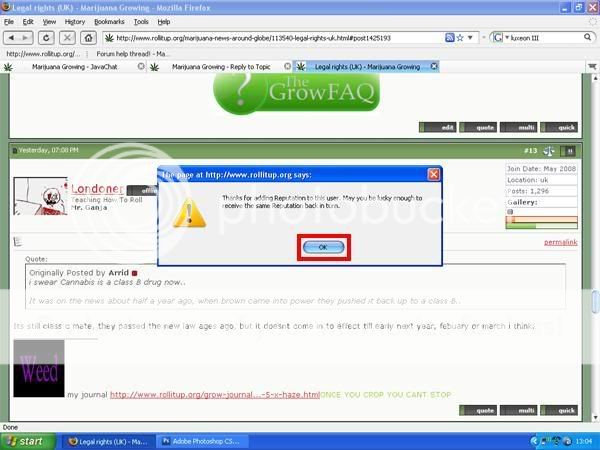
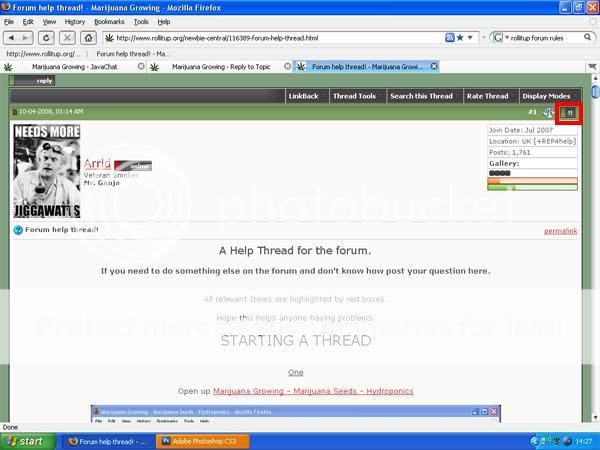
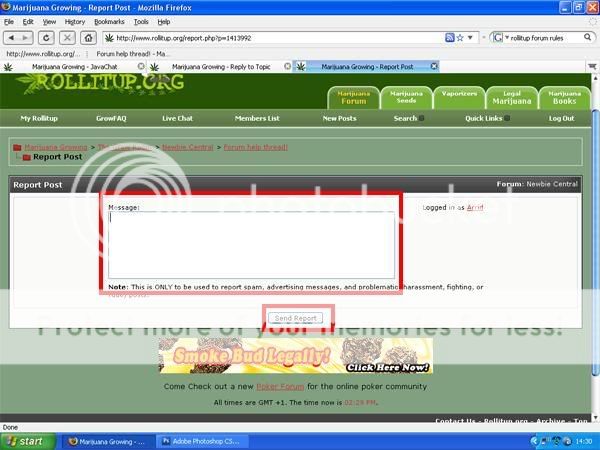
If you need to do something else on the forum and don't know how post your question here. All relevant Items are highlighted by red boxes. Hope this helps anyone having problems. STARTING A THREAD One Open up Marijuana Growing - Marijuana Seeds - Hydroponics ![]() Two Scroll down the page and click on the link to the group that you wish to post your thread in, Groupings are listed in the left column and the latest post displayed on the right hand column. ![]() Three Click on the "New thread" button at the top of the Thread table. If the button is not there, it may mean you need to post a few replies to some threads. (usually around the ten post count) ![]() Four Fill in the boxes. Pretty self explanitory. ![]() Five Click "Submit new thread" ![]() How to upload a picture to a thread One Scroll down while in "Advanced Reply" and click on "manage Attachments" This creates a pop up, don't close it. ![]() Two Click on "browse" ![]() Three Navigate to the image you wish to upload and click "open" ![]() Four Repeat from step two if you wish to upload more than one picture, if not click "upload" and the picture/s will be uploaded to your thread! ![]() Another way of uploading images one Join Image hosting, free photo sharing & video sharing at Photobucket two Upload your images Three Copy the "IMG code" four Paste into thread. This way allows the image to be shown at it's original size, handy for grow journals. How do I get to my Gallery one click on "my rollitup" which is located in the top left hand side of the main page. ![]() two On the "your control panel" there are various groupings. In the one marked "networking" click on "pictures & Albums" ![]() Three "Click here to add an album and start uploading pictures!" ![]() Four Add a title and description relevant to the images you wish to upload and click submit ![]() five "Click here to upload pictures!" ![]() six click browse and navigate to your chosen images. Once there double click on the image file. ![]() Seven Click "upload Pictures" ![]() Eight Change the caption to represent what the image is and click on "save changes" ![]() Nine Click on your newly uploaded image ![]() Ten Copy the BB Code and paste this into your threads if you wish to display this image! ![]() |
|
#2
|
||||||||||||
|
||||||||||||
|
How to get to the GrowFAQ
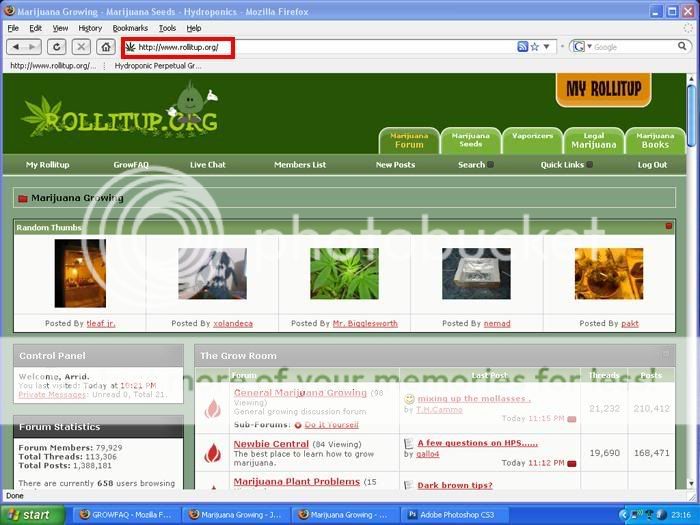
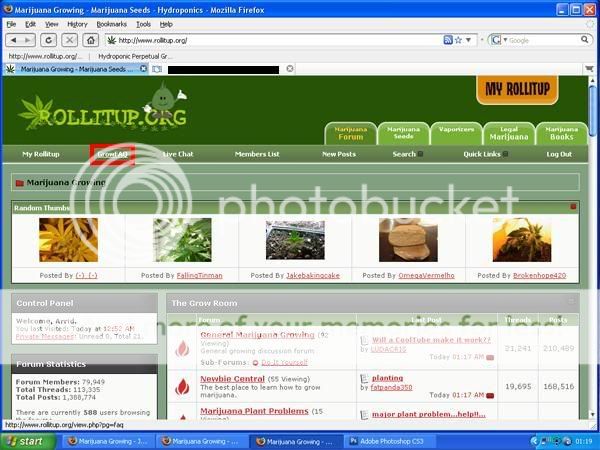
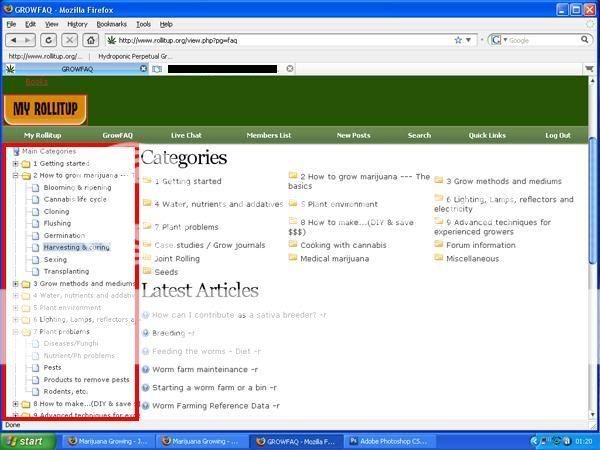
one. Open rollitup.org ![]() two. Click on GrowFAQ which is situated in the top left side of your screen. ![]() three. Browse the GrowFAQ. ![]() lol.. |
|
#3
|
||||||||||||
|
||||||||||||
|
Hey i have a question is there a way to post a thread in multiple forums?
__________________
Reality is not as we percieve it, so what i say means nothing and is only a figment of your imagination |
|
#4
|
||||||||||||
|
||||||||||||
|
yeh just copy n paste, lol.
Id make a sticky outta this, just for people who are n00b to navigating around forums. good work man.
__________________
UPDATE! Ebb/Flow monster ScrOG sorta thing(latest update): http://www.rollitup.org/grow-journal...-hehe-155.html -LastPostOnPage- Elite Genetics OG Kush Beta test Grow & TGA Space Queen run --4 strains will make a TON of moms!!! http://www.rollitup.org/grow-journal...-beta-run.html |
|
#5
|
||||||||||||
|
||||||||||||
|
haha my bad didnt even think of that thanks man
__________________
Reality is not as we percieve it, so what i say means nothing and is only a figment of your imagination |
|
#6
|
||||||||||||
|
||||||||||||
|
Quote:
__________________
Chiceh Peace, Love & Weed |
|
#8
|
||||||||||||
|
||||||||||||
|
|
|
#9
|
||||||||||||
|
||||||||||||
|
Quote:
Quote:
TEST for multi-quote |
|
#10
|
||||||||||||
|
||||||||||||
|
How to multi-Quote
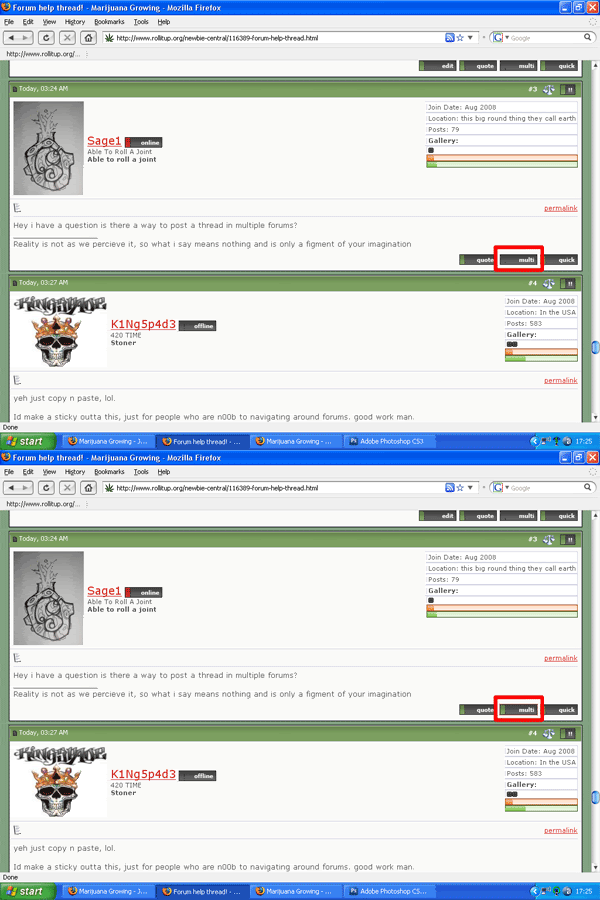
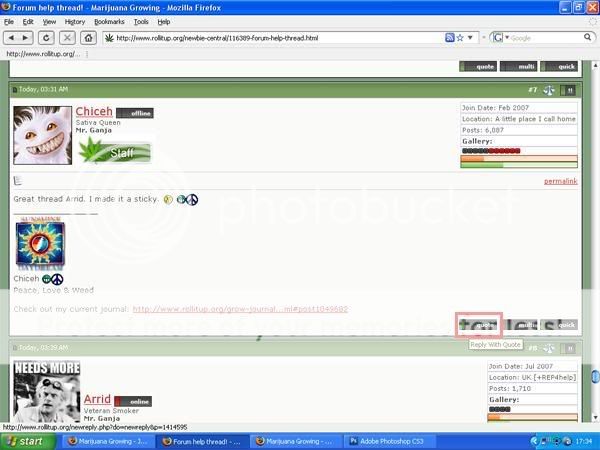
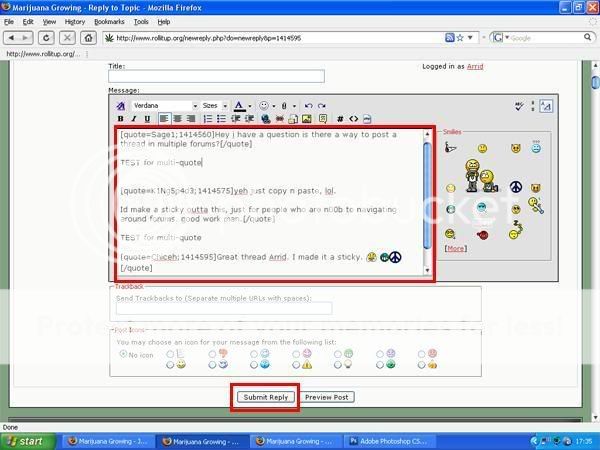
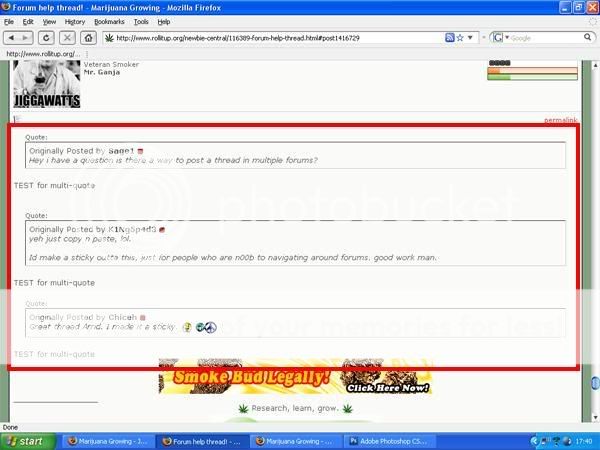
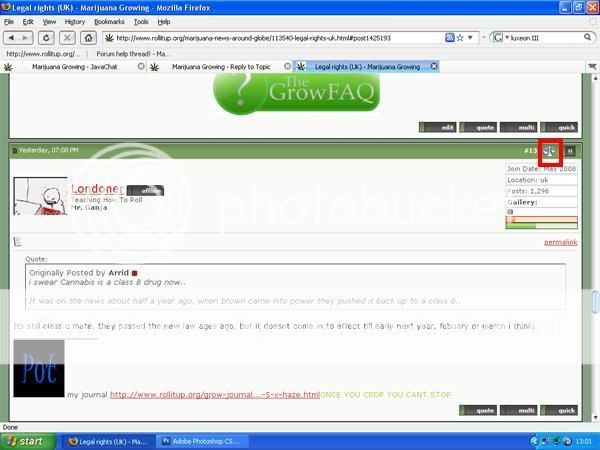
So you've found a thread and want to answer several people in the same post. one Click on "Multi" which is found in the bottom right had side of EVERY post, it will then turn the box from Grey to green. This shows that this quote is selected. (as seen in the image below) ![]() Two Continue using the "Multi" box if you wish to quote more people. Scroll down to the last post you wish to quote and just click on "quote." This will bring you to The advanced reply page with the quotes you need. ![]() Three Type out your reply to each Quote under the relevant quote. Click "Submit Reply" ![]() Four You will now be taken back to the thread, and you will be able to see your reply. ![]() |
| Tags: help, riu, thread |
| Tags |
| forum, thread |
| Thread Tools | |
| Display Modes | |
|
|
Thread |
Thread Starter |
Forum |
Replies |
Last Post |
| Biggest Thread In Internet Forum History | hornedfrog2000 | Toke N Talk | 36 | 04-20-2009 03:35 AM |
| Save a thread, forum suggestion | xxxxdoe | Make Your Requests | 5 | 08-06-2008 06:14 PM |
| How come my thread never go in the "new post" section of this forum??? | LeviJeans | Newbie Central | 1 | 06-14-2008 12:39 PM |
| New Thread And Reply Thread | rollitup | Support | 3 | 08-31-2006 12:58 AM |
Come Check out a new Poker Forum for the online poker community